What Is an Enterprise Browser and Do I Actually Need One?
If you have started shopping for browser security, you have run into the term "enterprise browser," usually attached to a confident claim that your company needs one. Before you accept that framing, it helps to separate two things that vendors tend to blur together: the browser itself, and the outcomes it is supposed to deliver.
This post covers what an enterprise browser actually is, why companies consider deploying one, and how to decide whether you need a new browser or just the visibility and control that the category promises.
What an Enterprise Browser Actually Is
An enterprise browser is a managed browser that an organization deploys to employees in place of Chrome, Edge, or Firefox. Almost every product in the category is built by forking Chromium, the open-source project behind Chrome and Edge, and adding a policy engine, a management console, telemetry collection, and data-loss controls on top. Island, Prisma Access Browser, Mammoth, Surf, and Citrix Secure Browser all sit here.
The appeal is depth. Because the vendor ships the browser binary, they can instrument the network stack, the rendering pipeline, the clipboard, and the file picker directly, rather than working through the public extension APIs. That is real control, and for some use cases it is exactly the right tool.
We wrote the full category primer in What Is Enterprise Browser Security? if you want the architectural background. This post is about the decision, not the definition.
Why Companies Consider One
The reason the category exists is that the browser became the place where work happens, and the place where most modern attacks land. According to Keep Aware's 2025 research, roughly 70 percent of malware delivery is now browser-based. Phishing kits that bypass MFA, GenAI data leakage, OAuth abuse, and risky extensions all live inside the browser session, after the email gateway has passed the message and before the endpoint agent sees a process.
Security teams reach for an enterprise browser because they want four things their existing stack does not give them:
- Visibility into what employees actually do in the browser: navigation, sign-ins, downloads, clipboard activity, and AI usage.
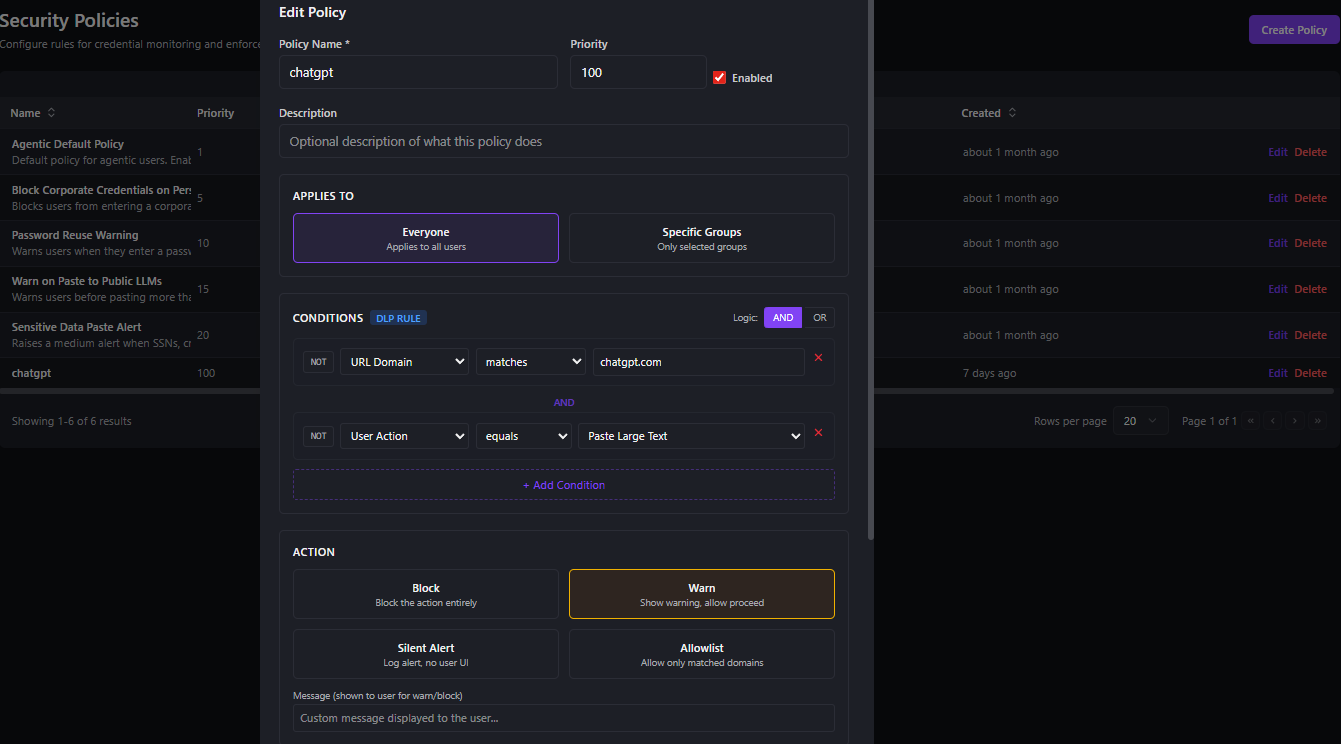
- Policy that reflects business rules, not just consumer defaults. "Finance can use this AI tool but cannot paste customer data into it" is a sentence a consumer browser cannot enforce.
- Data protection at the point of interaction: the paste, the upload, the form submission.
- Investigation context when something goes wrong, so an analyst gets a timeline instead of a vague alert.
Those are legitimate goals. The question is whether reaching them requires replacing the browser on every endpoint.
The Real Question: The Outcomes, Not the Browser
Here is the reframe that saves a lot of organizations a painful migration. You do not need an enterprise browser. You need the outcomes an enterprise browser is sold on. Those are not the same thing.
Replacing Chrome or Edge across a workforce is a deployment project, not a configuration change. It comes with user retraining, a quarter of helpdesk tickets, extension and SaaS compatibility friction, and the awkward reality that power users keep their old browser around anyway. There is also a quieter cost: a forked Chromium inherits upstream security patches only after the vendor re-builds, re-signs, and re-ships its fork, which can leave a fleet days or weeks behind the patched version of the browser it replaced. We covered that patch-cadence dynamic in detail in Surface vs. Enterprise Browsers.
If you can get the visibility, the policy, the data protection, and the investigation context without taking on the migration, you should at least know that option exists before you sign.
Do You Actually Need One?
A managed browser is genuinely the right call in a few situations:
- Unmanaged devices. When you need to deliver a controlled browsing environment to contractors or BYOD users on hardware you do not own, a managed browser (or remote browser isolation) fits in a way an extension cannot.
- Heavy containment. When you need to wrap one high-risk web application in a watermarked, copy-restricted environment for a small, defined audience.
- A baseline so fragmented that standardizing everyone on one managed browser is operationally simpler than managing a mix.
For most organizations, none of those is the dominant case. The dominant case is a workforce that already runs Chrome, Edge, Firefox, or Safari on managed devices, and a security team that wants visibility and control over those sessions without disrupting how people work.
A useful test: are you trying to manage devices you do not control, or sessions on devices you do? The first leans toward a managed browser. The second is better served by a layer on top of the browsers you already run.
Getting the Outcomes Without the Swap
Surface takes the second path. It runs as a managed extension across Chrome, Firefox, Edge, and Safari, with detection, policy, and telemetry on your own infrastructure. One extension codebase, the browsers your employees already use, no migration. The outcomes that drive people to enterprise browsers are delivered without replacing the browser:
- Full browser visibility. Navigation, authentication flows, downloads, clipboard, print, and GenAI activity captured in real time and surfaced in a single events and activity dashboard.
- In-browser policy enforcement. Allowlist, block, warn, and learning modes resolved as "most restrictive wins," with per-tenant feature toggles and protected-domain rules pushed to every endpoint.
- Credential security at the endpoint. Passwords are fingerprinted with HMAC-SHA256 so plaintext never leaves the device, breached-password detection runs against Have I Been Pwned using k-anonymity, and password reuse is tracked across sites.
- Phishing and adversary-in-the-middle defense. Multi-signal detection for AiTM relay, OAuth impersonation, browser-in-browser, and SSO or QR phishing, backed by URL reputation and brand-impersonation checks.
- Identity-aware management. Directory sync with Entra ID, Okta, Active Directory, and Google Workspace, with group-to-policy and group-to-admin-role mapping.
- Compliance and SIEM-ready output. Executive and compliance dashboards, MFA and passkey adoption metrics, a full audit trail, and log forwarding to Splunk, Syslog, Elasticsearch, S3, Slack, and Teams.
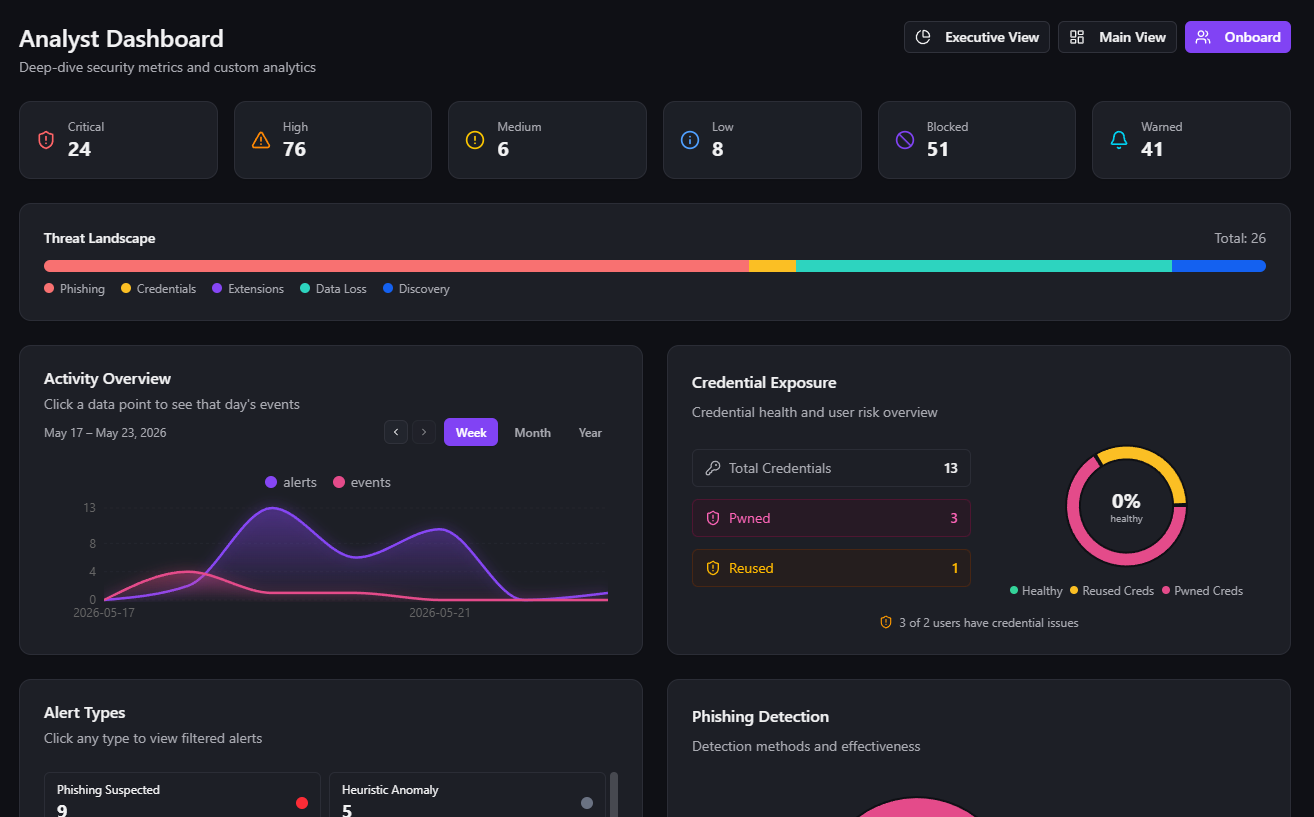
The trade-off is honest. You do not get the browser-binary-level hooks a forked Chromium can take. In exchange you keep your browser, your patch cadence, your data, and a deployment that is a managed extension push rather than a fleet-wide replacement.
How to Decide
Work the question in this order:
- Start with the outcomes you need, not the product category. Write down the visibility, policy, and data-protection goals.
- Check who owns the devices. Unmanaged and BYOD push you toward a managed browser. Managed devices do not.
- Price the migration honestly. Retraining, helpdesk load, compatibility work, and the patch-cadence gap are real line items.
- Ask whether an extension reaches your outcomes. For most threat models on managed devices, it does.
If you walk through that and a managed browser is still the right fit, the category is mature and you have good options. If the answer is "I want the outcomes without the swap," that is the gap Surface was built for.
If you want to see what browser visibility and control look like in your environment, get in touch. If you are weighing the enterprise-browser approach specifically, Surface vs. Enterprise Browsers is the long-form comparison.